

Your cookies come out too dark even though you followed the recipe and set the oven as directed. Before blaming the baking time, it’s worth asking whether the temperature setting tells the whole story.
A cake’s edges look done, but the center is still wet when the timer rings. Leaving it in longer may dry out the edges, while changing the oven setting next time is only a guess. A simple check before the next bake can help narrow down what went wrong.
An oven thermometer shows what the oven is doing
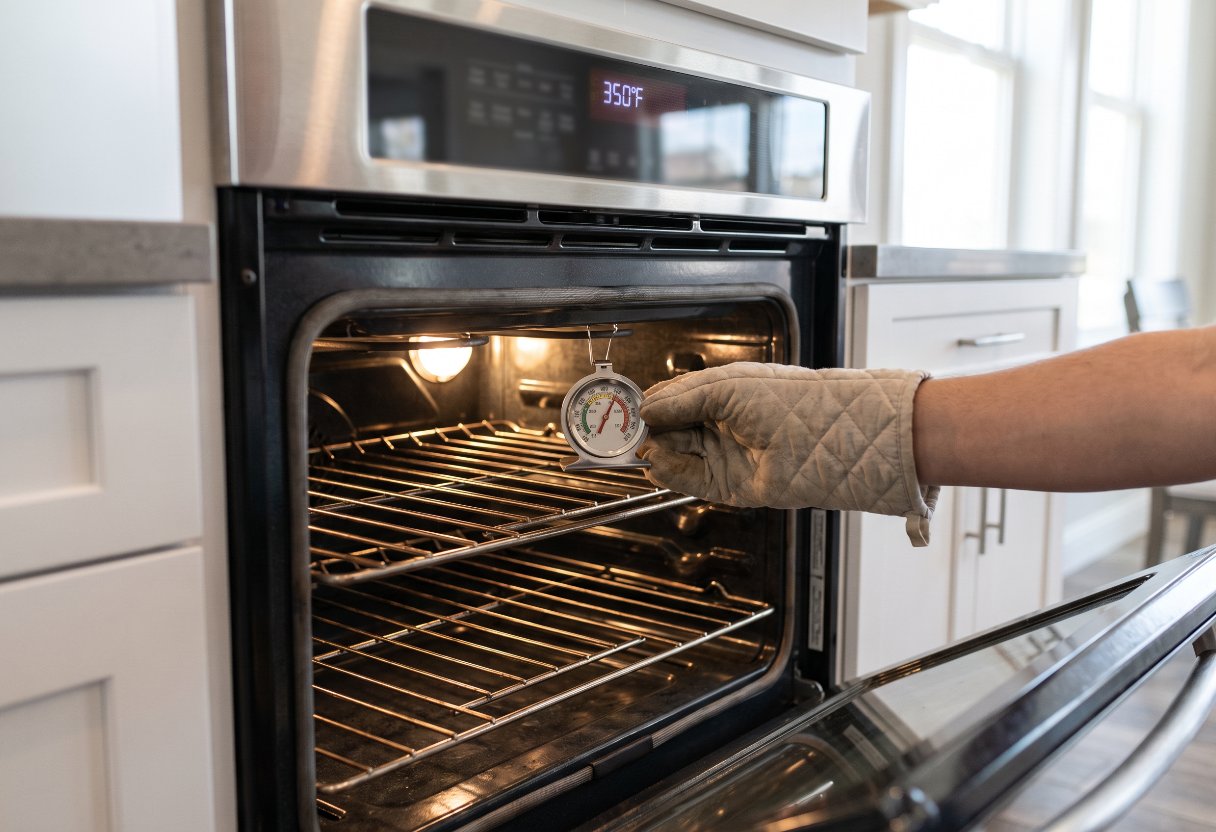
A stand-up oven thermometer is the simple tool for checking whether an oven’s displayed temperature matches the heat inside. Place it at the center of the oven, where it can measure the temperature around the food rather than the potentially uneven heat near a wall or the floor. Its reading can help explain why a familiar recipe comes out underdone or overdone.
- Not oven cleaner and not steel wool, the way to get the baked-on brown off oven racks overnight in the bathtub
- Not vinegar and not the pricey descaler, the way to get the white crust out of your Keurig
The display is not a continuous measurement of steady heat. An oven turns its heating elements on and off, so even a well-calibrated electric oven can swing as much as 25°F (14°C) above and below its setting during normal operation. That makes a brief difference between the display and thermometer less useful than a persistent one.
Normal cycling and lasting errors are different
A difference of about 10°F to 15°F (6°C to 8°C) may not need correction. Some ovens can be off by much more, with appliance guides describing errors exceeding 75°F (42°C). A lasting error matters most for baking and other recipes where too much or too little heat changes the result.
Temperature sensors and thermostats can drift as components age and see repeated use. A larger error may also point to a problem that a setting change cannot fix. Checking the oven before changing its calibration helps distinguish a normal temperature swing from a dial that consistently reads hot or cold.
Test the temperature at the center rack
Put a rack in the center of the oven and place an oven-safe thermometer in its center. Close the door, set the oven to 350°F (177°C), and wait until it signals that preheating is complete. Then compare the thermometer with the setting; avoid touching the hot rack or thermometer without oven mitts.
Whirlpool’s 350°F oven test uses a reading within 15°F (8°C) of the setting as its check for accuracy. Because heat cycles on and off, a single reading outside that range is worth checking again before making an adjustment. If the difference persists, consult the oven’s manual for its calibration procedure.
Calibration corrects the display, not a broken part
Many ovens allow an offset adjustment of roughly 30°F to 35°F (17°C to 19°C) in either direction. Digital models may have a settings control; some dial models have an adjustment beneath the knob. Follow the instructions for the exact model rather than assuming another oven uses the same controls.
For example, certain GE ovens with numeric keypads enter a special function by pressing BAKE and BROIL HI/LO together for 2 seconds. That sequence does not apply to every oven. Let the oven cool before handling a dial, and arrange professional repair if an adjustment does not improve a persistent error or the temperature remains far from the setting.
Choose a thermometer made for oven heat
A basic stand-up dial thermometer such as the Admetior T803BH costs about $7.99. Other options include the CDN DOT2, ThermoWorks Square DOT, and ThermoPro TP16. Choose one intended for oven use, then keep it near the center rack when checking temperatures so its position is consistent.
An oven thermometer measures the surrounding heat, not the temperature inside food. Use a food thermometer when doneness or food safety depends on internal temperature. If baking results remain inconsistent after an oven check and any model-specific calibration, have the appliance inspected rather than repeatedly changing its offset.


Leave a Reply